

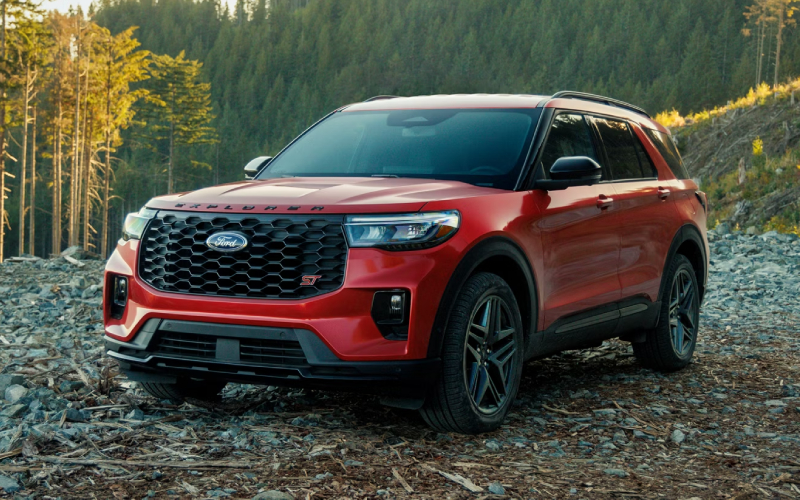
LaFontaine Next Mile – Everyday Used-Car Infotainment Tips for Drives around Farmington, MI
Used-car infotainment has come a long way, and knowing what to expect by brand, model year, and trim can save time and help you shop with confidence. Whether you navigate Grand River during rush hour or head out on I-96 for weekend errands, the right interface reduces distraction and adds comfort. This guide condenses common feature timelines, body-style differences, and practical test-drive steps so you can decide what truly fits your daily routine around Farmington, MI.
Year-by-year highlights most shoppers ask about
Generally, 2016-2017 marks the tipping point for Apple CarPlay and Android Auto availability on popular models; 2018-2019 brings broader standardization and cleaner interfaces; 2020-2021 adds larger, crisper screens, better voice assistants, and sometimes digital driver displays; and 2022+ introduces widespread wireless smartphone integration and USB-C. Trucks and minivans often trail sedans and small SUVs by a year or two for features like wireless CarPlay, but make up ground with towing views and rear-seat systems. Always confirm by trim—base and mid-trims can differ more than you expect.
For everyday commuting, a stable Bluetooth connection, responsive screen, and reliable voice-to-text matter more than rare apps. On your test drive, pair your phone, place a call, try a quick route entry, and check for screen glare in mid-day sun. Make sure audio volume normalizes between streaming, radio, and calls so you are not reaching for the knob during lane changes.
Body-style considerations that affect your experience
Sedans like Honda Accord, Toyota Camry, and Nissan Altima typically offer fast pairing and straightforward menus—ideal for solo commuters. Compact SUVs such as Toyota RAV4, Honda CR-V, Chevrolet Equinox, Hyundai Tucson, and Nissan Rogue add better camera views and more rear USBs for families. Three-row SUVs often layer in rear-seat reminders and upgraded audio for clearer prompts with passengers on board. Trucks including Ford F-150, Chevrolet Silverado, and Ram 1500 prioritize towing aids and larger screens so guidance remains visible with gear in the back. Minivans (Honda Odyssey, Chrysler Pacifica, Toyota Sienna) stand out with rear entertainment and cabin intercom to keep directions audible up front.
Beyond the screen, look at button placement. Physical volume and tuning controls reduce distraction. Rotary controllers in some luxury models (BMW iDrive, Audi MMI, older Mercedes COMAND) can help you navigate menus without looking down as often. If haptic sliders or touch-only layouts are not your preference, target trims with knobs and shortcut keys.
Popular systems decoded at a glance
- Ford SYNC 3/SYNC 4: Clear menus, strong voice commands, easy pairing; frequent on 2016-2020 F-150, Escape, Explorer.
- Chevy Infotainment 3: Logical icons, CarPlay/Android Auto, teen driver settings; seen on 2018-2021 Equinox, Silverado, Malibu.
- Uconnect (Jeep/Ram): Quick responses, clean layouts; Wrangler off-road pages and Ram towing visuals add utility.
- Toyota Entune 3.0: CarPlay widely 2019+, dependable navigation on upper trims; Camry, Corolla, RAV4 are strong examples.
- Honda Display Audio: CarPlay/Android Auto, physical volume returns on many 2019+ models; Civic, CR-V, Accord feel intuitive.
- NissanConnect: Straightforward pairing and icons; Rogue and Altima adopt CarPlay/Android Auto in later years.
- BMW iDrive/Audi MMI/Mercedes MBUX: Polished interfaces, CarPlay availability varies by year and package; test the controller vs. touch preference.
For used luxury models, verify whether CarPlay is active—some early years required a package or code. Also test microphone clarity and contact syncing, especially if your workday involves frequent calls.
Smart test-drive checklist for infotainment
Bring your phone and charging cable. Pair, unpair, and re-pair to see how quickly the system recognizes you. Use voice commands for an address and a text. Try pinch-zoom on maps and switch between music and navigation to judge responsiveness. Park in a bright spot and check for screen glare; then back into a space to evaluate backup camera brightness and guidelines. If you share the vehicle, add a second phone and confirm profile memory. Finally, explore settings for speed-sensitive volume and steering-wheel shortcuts to keep your eyes on the road.
If you plan carpools, verify rear USB availability and, where applicable, test rear-seat entertainment with headphones so you can keep turn-by-turn prompts audible. For towing, ensure the camera can show the hitch clearly and that trailer settings are easy to access.
Upgrades can help, but choose wisely. Software updates at the dealer may improve stability or add features. Hardware swaps—like replacing a head unit—depend on brand and trim. Vehicles with integrated climate controls in the screen or unique camera stitching can be harder to retrofit. Before you plan an upgrade, price the newer trim or a different model year that already includes what you want; it can be the simpler, cleaner solution.
Local realities matter. On busy stretches near Twelve Mile and M-5, quick access to favorites (home, work, recent destinations) reduces taps. Voice assistants that understand natural phrases help you keep attention on traffic. If you cross between Bluetooth headsets and car audio often, confirm smooth handoffs so you do not miss calls at stoplights.
When you narrow your list, line up two or three comparables back-to-back the same day. The differences in microphone quality, screen reflectivity, and button placement are easiest to feel when your drive route is identical. A consistent loop with neighborhood streets, a short highway segment, and a couple of tight parking maneuvers exposes how a system behaves in your real world.
If you want guidance from a team that lives this every day, LaFontaine Next Mile is ready to help, serving Farmington, Novi, and Redford with side-by-side demos, connectivity checks, and practical test-drive routes that mirror your commute.
Request more information
Connect with us

